Raywego Gaming Monitor โ€” 24-Inch, 34 Inch Curved & Ultrawide

Raywego builds curved, ultrawide, and high-refresh gaming monitors across 24-inch, 27-inch, and 34 inch curved sizes โ€” all targeting the gap between what established brands charge and what the specs actually require. The lineup runs from 120Hz entry-level curved panels through a 200Hz 24-inch competitive model and a 34-inch 3440ร—1440 ultrawide at 165Hz, with both black and pink colorways available. Every gaming-focused monitor ships with AMD FreeSync and 1ms MPRT response time. Most carry a 2-year warranty; select models extend to 3 years. Check current pricing on Amazon.
โœ“ 165Hz UWQHD Ultrawideโœ“ 200Hz Competitive Panelโœ“ Pink Desk Setup Displays
Shop on Amazon
Raywego 34-Inch Curved Gaming Monitor UWQHD 3440 x 1440 Up to 165Hz Curved 1500R - PIP/PBP
100Hz to 200Hz Across the Full Lineup

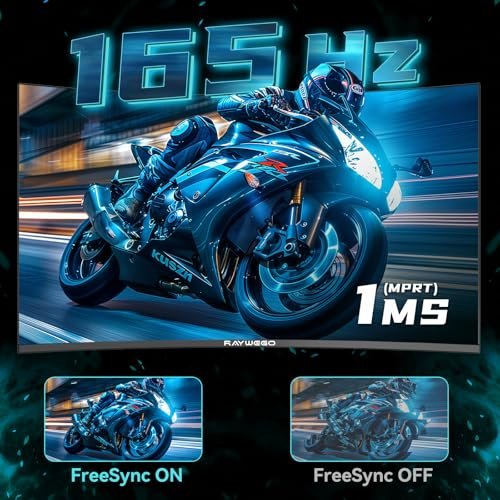
Every gaming-focused Raywego model ships with 1ms MPRT and AMD FreeSync, from the 120Hz entry-level Q24B10 up to the 200Hz Q24B16 โ€” the fastest panel in the lineup.

34-Inch UWQHD at 3440ร—1440

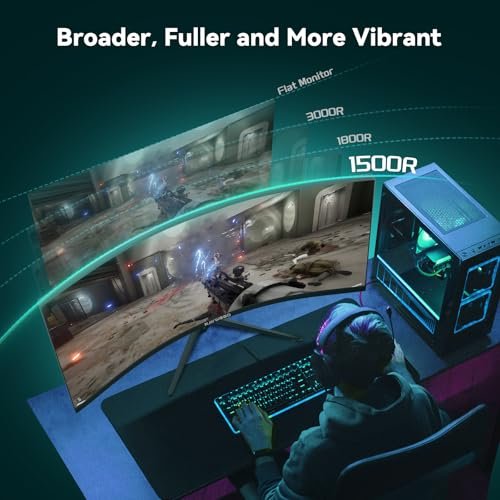
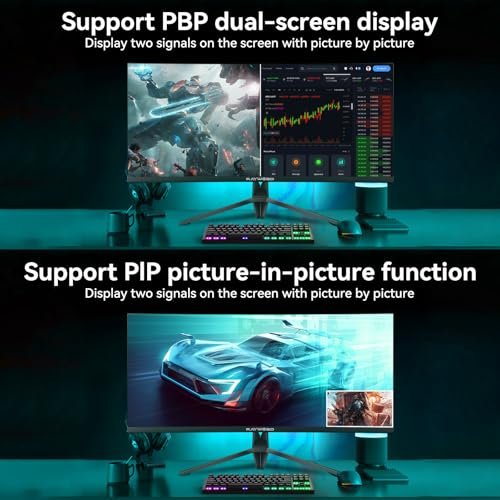
The 34-inch ultrawide models deliver 3440ร—1440 resolution at a 1500R curve โ€” approximately 109 PPI, with 127% sRGB coverage and PIP/PBP for running two sources simultaneously.

Pink and Black โ€” Same Specs, Your Choice

Raywego's pink models (Q34P4D-1, Q270P18, Q27P1B) carry identical core specs to their black counterparts โ€” the color difference is aesthetic, not a spec downgrade.

2 to 3 Years of Warranty Coverage

Most Raywego monitors carry a 2-year manufacturer warranty; the Q270P18, Z270B16, and Q340B45 extend to 3 years, with direct Amazon support for defects and missing accessories.

Raywego Monitor Lineup โ€” All 11 Models

Eleven models across three screen sizes, two colorways, and a refresh rate range from 100Hz to 200Hz โ€” there's a specific Raywego monitor for competitive gaming, ultrawide productivity, pink desk setups, and home office use. Check Amazon for current availability and pricing on each model.

Raywego 24 inch Curved Monitor 120Hz 1ms

Q24B10 24" Curved 120Hz (Black)

The lightest monitor in the lineup at 5 lbs, the Q24B10 runs a 24-inch 3000R VA panel at 120Hz with a 3000:1 contrast ratio. The HDMI + VGA port combination is the most practical setup for legacy devices โ€” it's the only Raywego model with VGA connectivity at this screen size.

Best entry-level option for buyers upgrading from an old desktop monitor or connecting a legacy device โ€” VGA + HDMI at 120Hz for under $80 (check Amazon for current price).

See on Amazon
Raywego 24 inch Flat Gaming Monitor Full HD 1920x1080

Z240B16 24" Flat 180Hz (Black)

The Z240B16 is the only flat 24-inch in Raywego's lineup โ€” 180Hz, 1ms MPRT, G-Sync Compatible, and a three-sided borderless design built for multi-monitor configurations. At the same price point as the Q24B10, you're trading the curve and legacy VGA port for 60 more Hz and G-Sync support.

The flat 24-inch choice for competitive gamers who want 180Hz and G-Sync compatibility without the curve โ€” the three-sided borderless design works cleanly in dual-monitor setups.

See on Amazon
Raywego 24 Inch Curved Gaming Monitor

Q24B16 24" Curved 200Hz (Black)

The Q24B16 is Raywego's highest-rated model at 4.5/5 stars across 149 reviews โ€” and it's the fastest panel in the entire lineup at 200Hz. The 24-inch 3000R VA panel combines a 4000:1 contrast ratio with G-Sync compatibility and 1ms MPRT, all at a price point that undercuts most 200Hz alternatives. No built-in speakers.

If maximum refresh rate is the priority โ€” competitive FPS, racing, anything where frame rate matters โ€” the Q24B16 at 200Hz is the model to buy. Highest-rated Raywego monitor with 149 reviews.

See on Amazon
Raywego 27 Inch Curved Monitor

Q270B13 27" Curved 120Hz (Black)

The Q270B13 uses a subtler 1800R curve than any other curved Raywego monitor โ€” it's the least aggressive curve in the lineup, which makes it more comfortable for long office sessions than gaming-first panels. At 5ms GtG and 120Hz, it's honest about its purpose: daily work, document reading (Reader Mode is built in), and light gaming, not competitive play.

The 1800R curve, Reader Mode, and 5ms GtG response time position this as the office-first 27-inch in the lineup โ€” better suited to work and study than fast-paced gaming.

See on Amazon
Raywego 27-Inch Gaming Monitor 100Hz with Built-in Speakers

Z270B13 27" Flat Speakers (Black)

The Z270B13 is the only Raywego monitor in the entire lineup with built-in dual speakers. It runs a 27-inch flat VA panel at 100Hz with a 4000:1 contrast ratio, and the 100ร—100mm VESA mount supports monitor arm setups without needing a separate speaker solution cluttering the desk.

If you need audio without external speakers โ€” home office video calls, media consumption, no room for a soundbar โ€” this is the only Raywego model that solves that problem natively.

See on Amazon
Raywego 27 Inch Gaming Monitor 180Hz Refresh Rate โ€“ Fast VA 1080p with 4000:1 Contrast Ratio

Z270B16 27" Flat 180Hz (Black)

The Z270B16 is the fastest flat 27-inch in the Raywego lineup at 180Hz, with G-Sync compatibility and a 3-year warranty โ€” the longest coverage available in the lineup alongside the Q270P18 and Q340B45. Three-sided borderless design, FPS and RTS game modes, and 300 nits brightness round out a panel aimed at competitive gamers who want flat geometry over a curve.

Best flat 27-inch for competitive gaming โ€” 180Hz, G-Sync Compatible, and a 3-year warranty that beats most rivals at this price tier. Check Amazon for current pricing.

See on Amazon
Raywego 34-Inch Curved Gaming Monitor UWQHD 3440 x 1440 Up to 165Hz Curved 1500R - PIP/PBP

Q34B4D 34" Ultrawide 165Hz (Black)

The Q34B4D is Raywego's most-reviewed product at 159 ratings โ€” a 34-inch 3440ร—1440 VA panel at 165Hz via DisplayPort 1.4, with 127% sRGB, 4000:1 contrast, PIP/PBP, dual DP 1.4 ports, and dual HDMI 2.0. At 14 lbs it's the heaviest model in the lineup, and the included DP cable means you can hit peak refresh rate out of the box. No built-in speakers.

The core flagship ultrawide โ€” 3440ร—1440 at 165Hz via DisplayPort, with PIP/PBP for dual-source use and 127% sRGB for content work. Most-reviewed model in the Raywego lineup.

See on Amazon
Raywego 34 Inch Curved Gaming Monitor

Q340B45 34" Ultrawide Ergo RGB (Black)

The Q340B45 is the only Raywego monitor with a height-adjustable, swivel, and tilt ergonomic stand โ€” every other model in the lineup offers tilt only. It runs the same 34-inch 3440ร—1440 panel at 165Hz via DisplayPort (100Hz via HDMI 2.0), adds rear RGB backlighting, and draws 60W โ€” the highest power consumption in the lineup, which is the tradeoff for the stand and RGB features.

The only ultrawide in the lineup with full ergonomic adjustability โ€” height, swivel, and tilt โ€” making it the right call for long-session desk setups where posture matters as much as specs.

See on Amazon
Raywego 27 Inch Pink Curved Monitor for Desk Setup

Q27P1B 27" Curved 100Hz (Pink)

The Q27P1B is the entry point into Raywego's pink lineup โ€” a 27-inch 1500R curved VA panel at 100Hz with a 3ms MPRT response time. It's the lowest refresh rate in the pink series, which is honest: this monitor is designed for desk aesthetic and daily use first, competitive gaming second. HDMI and DisplayPort, 75ร—75mm VESA, 2-year warranty.

The budget-friendly pink option โ€” 27-inch 1500R curve for desk setups where the look matters and 100Hz is enough for casual gaming, streaming, and everyday work.

See on Amazon
Raywego 27 Inch Pink Curved Gaming Monitor for Desk Setup

Q270P18 27" Curved 180Hz (Pink)

The Q270P18 steps up the pink lineup to 180Hz and HDR10 โ€” plus a 4000:1 contrast ratio that beats the entry-level Q27P1B's 3000:1. It also carries a 3-year warranty, the longest available on any Raywego pink model. USB and audio ports are included alongside HDMI and DisplayPort. At 250 nits brightness, it's worth noting HDR performance stays in the entry-level tier.

The pink monitor that takes gaming seriously โ€” 180Hz, 4000:1 contrast, HDR10, and a 3-year warranty, for buyers who want a desk-setup aesthetic without giving up real performance.

See on Amazon
Raywego 34 Inch Pink Curved Gaming Monitor for Desk Setup

Q34P4D-1 34" Ultrawide 165Hz (Pink)

The Q34P4D-1 is the flagship of Raywego's pink series โ€” a 34-inch 3440ร—1440 ultrawide at 165Hz with 127% sRGB, PIP/PBP, dual HDMI 2.0, and dual DisplayPort 1.4 inputs. The specs are identical to the black Q34B4D; the 8 lb weight (vs. 14 lbs on the Q34B4D) difference likely reflects a different stand configuration. No built-in speakers. 2-year warranty.

Full ultrawide performance in a pink finish โ€” 3440ร—1440, 165Hz via DisplayPort, PIP/PBP, and 127% sRGB with no spec compromise versus the black flagship model.

See on Amazon

Which Raywego Monitor Fits Your Setup

The right Raywego model depends on three things you probably already know: screen size, how fast you actually play, and whether you're sitting at a PC or connecting a console. Here's how the lineup breaks down by real use case โ€” not by spec sheet order.

Raywego 34-Inch Curved Gaming Monitor UWQHD 3440 x 1440 Up to 165Hz Curved 1500R - PIP/PBP

You Want the Fastest Competitive Panel

If frame rate is the only thing that matters to you, the Q24B16 is the clear answer. It runs at 200Hz โ€” the highest in the lineup โ€” on a 24-inch 3000R curved VA panel with 1ms MPRT and G-Sync Compatible certification. At 4.5 stars across 149 reviews, it's also the highest-rated model Raywego sells. The tradeoff is screen size: 24 inches is tight if you're used to 27 or wider, and 1920ร—1080 at 24 inches is about 92 PPI โ€” sharp at a normal desk distance, not stunning up close.

If you want flat instead of curved at a similar price point, the Z240B16 hits 180Hz on a flat 24-inch panel with the same 1ms MPRT. It costs less. It doesn't curve. That's the whole difference.

You Want a 27-Inch Screen for Gaming

The 27-inch black models split cleanly by use case. The Q270B13 is the office-first option โ€” 120Hz, 1800R curve (the subtlest in the lineup), and an explicitly stated 5ms GtG response time. It also includes a Reader Mode, draws only 36 watts, and weighs 7.5 pounds. Good for people who mostly work and game occasionally.

The Z270B16 is the opposite: 180Hz flat, 1ms MPRT, G-Sync Compatible, 3-sided borderless, and it carries a 3-year warranty โ€” the longest available on a black 27-inch model in the lineup. If you're running competitive FPS on a 27-inch flat screen, this is where to start.

The Z270B13 sits in between โ€” 100Hz flat with built-in dual speakers. It's the only Raywego model with integrated audio. If your desk has no room for external speakers and you don't need 180Hz, this is the practical pick.

You Want a 34-Inch Ultrawide

There are three 34-inch UWQHD models, all at 3440ร—1440 and 165Hz. The differences are physical and ergonomic, not panel-level.

  • The Q34B4D is the standard black flagship โ€” dual DP 1.4 ports, dual HDMI 2.0, PIP/PBP, 100ร—100mm VESA, 14 pounds, 2-year warranty. It's the most-reviewed model in the lineup at 159 reviews.
  • The Q340B45 adds the only height-, swivel-, and tilt-adjustable stand in the entire Raywego lineup, plus RGB backlighting and FPS/RTS game modes. It's the right choice if you spend long sessions at your desk and need proper ergonomic positioning. It draws 60 watts versus the Q34B4D's 15 โ€” worth knowing if power consumption matters.
  • The Q34P4D-1 is the pink version of the flagship. Same 3440ร—1440, same 165Hz, same PIP/PBP โ€” just in pink, and about 6 pounds lighter at 8 lbs versus 14 lbs on the Q34B4D.

One thing all three share: 165Hz requires a DisplayPort 1.4 connection. Via HDMI 2.0, the Q340B45 is capped at 100Hz. The Q34B4D and Q34P4D-1 listings don't specify HDMI refresh rate caps explicitly, but HDMI 2.0 bandwidth limits apply โ€” plan accordingly if your GPU or console only has HDMI.

You Want a Pink Monitor

Three options, tiered clearly by what you're giving up at each price point:

  • The Q27P1B is the entry point โ€” 27-inch, 100Hz, 3ms MPRT, 1500R curve. Best for aesthetic-first buyers who don't play fast-paced competitive titles. The 3ms MPRT is slower than the rest of the pink lineup.
  • The Q270P18 steps up to 180Hz, 4000:1 contrast, HDR10, and โ€” importantly โ€” a 3-year warranty. It's the only pink model with the extended coverage.
  • The Q34P4D-1 is the full ultrawide at 3440ร—1440 and 165Hz. If you want the largest pink screen with no spec compromise, this is it. It's also the priciest model in the lineup at around $249.99.

You're Connecting a Console

Short version: every Raywego model connects via HDMI 2.0, which means PS5 and Xbox Series X will cap out at 120Hz at 1080P โ€” not the panel's peak refresh rate on most models. That's still a real improvement over 60Hz on a TV. Check the separate console compatibility block on this page for a full model-by-model breakdown before you buy.

You Just Need a Budget Monitor to Upgrade From a TV

The Q24B10 is the right starting point โ€” 24-inch curved, 120Hz, and includes both HDMI and VGA ports, which matters if you're connecting an older PC or laptop. At 5 pounds, it's also the lightest monitor in the lineup. The 250 nits brightness is lower than most other models (most hit 300 nits), which is worth knowing if your room gets bright afternoon light.

What the Specs Actually Mean at Your Desk

A lot of the skepticism around Raywego โ€” and budget gaming monitors generally โ€” comes from spec claims that sound too good to be true. Some of those concerns are valid. Most aren't. Here's what the numbers actually mean in practice, and where the real tradeoffs live.

1ms MPRT Is Not the Same as 1ms GtG

Every gaming-focused Raywego model lists 1ms response time. That's MPRT โ€” Moving Picture Response Time โ€” which measures perceived motion blur reduction, usually achieved through backlight strobing. It's a real spec that affects how fast-moving content looks on screen. It is not the same as gray-to-gray (GtG) pixel transition speed, which is what most reviews mean when they say "1ms response time."

Raywego 34-Inch Curved Gaming Monitor UWQHD 3440 x 1440 Up to 165Hz Curved 1500R - PIP/PBP

The Q270B13 is the only model in the lineup that explicitly lists a GtG figure: 5ms. That's typical for a budget VA panel โ€” not fast by competitive standards, but fine for office work, casual gaming, and anything below 120Hz. The other models' actual GtG speeds aren't published, which is common practice for budget VA panels. Expect somewhere in the 4โ€“8ms range for the 24-inch and 27-inch curved models under real conditions.

In practice, at 180Hz or 200Hz with 1ms MPRT, fast-moving content in FPS and racing games looks clean. You won't see the trailing or smearing you'd get from a 60Hz panel. You might see some VA ghosting in very dark scenes โ€” that's a VA characteristic, not a Raywego-specific issue.

What VA Panels Actually Do

Every model in the Raywego lineup uses a VA panel. This matters for what you get and what you don't.

VA panels produce better contrast ratios than IPS โ€” Raywego's gaming models list 4000:1, which is accurate for VA and meaningfully higher than the typical 1000:1 you'd see on an IPS panel at the same price. In dark gaming environments, that shows up as deeper blacks and more visible shadow detail. The Q340B45 lists a pixel pitch of 2.03mm and 127% sRGB, so colors at the center of the panel are genuinely vivid.

The tradeoff: VA panels can exhibit color shift at extreme viewing angles โ€” not dramatic, but noticeable if someone's watching from the side of your desk. They also tend to show ghosting in very dark, fast-moving scenes more than IPS. For single-user gaming and desk work, neither of these is a real problem. For a monitor three people are watching at once, IPS would be the better call.

HDMI 2.0 Caps and Refresh Rate Reality

The Q340B45 listing explicitly states this: 165Hz via DisplayPort, 100Hz via HDMI 2.0. That's the honest version of what applies, in varying degrees, to every Raywego model with HDMI 2.0 ports.

HDMI 2.0 bandwidth tops out at 14.4 Gbps. At 3440ร—1440 and 165Hz, you need more bandwidth than that โ€” which is why DisplayPort 1.4 (32.4 Gbps) is required for peak performance on the ultrawide models. For 1920ร—1080 at 180Hz or 200Hz, HDMI 2.0 does have enough bandwidth. So on the 24-inch and 27-inch FHD models, using HDMI instead of DisplayPort doesn't cost you refresh rate. On the 34-inch UWQHD models, it does.

Every Raywego gaming model includes a DisplayPort cable in the box. Use it.

HDR10 at 300 Nits

Most Raywego models list HDR support. The Q24B10 lists 250 nits; most others list 300 nits. To put that in context: the VESA DisplayHDR 600 certification requires 600 nits of peak brightness, and "true" HDR performance typically starts around 400โ€“500 nits. At 300 nits, you'll see improved contrast in HDR-enabled games compared to SDR mode, but not the bright, punchy specular highlights that define HDR on premium displays.

This isn't a knock on Raywego โ€” it's standard for budget and mid-range monitors. HDR10 at 300 nits is a real feature with real limitations. If cinematic HDR is what you're after, you're shopping in a different category entirely.

VGA on the Entry-Level Models

The Q24B10 and Q270B13 include VGA ports. VGA is an analog signal that tops out at around 1920ร—1080 โ€” fine at this resolution โ€” but it can't carry audio and doesn't support adaptive sync. If you're connecting a modern PC, use HDMI. If you're connecting an older laptop or a work machine that only has VGA out, these are the two models that still support it. That's the use case VGA serves in 2025: legacy connectivity, not performance.

The "Too Good to Be True" Question

Honestly? The specs are real. A 165Hz UWQHD VA panel at 3440ร—1440 with 127% sRGB and FreeSync is achievable at this price from a Shenzhen manufacturer selling direct on Amazon. The compromises are the ones listed above โ€” tilt-only stands on most models, no USB-C, no built-in speakers on gaming models except the Z270B13, HDR that's entry-level rather than premium.

The r/buildapc concern about hardware failure is worth taking seriously. One documented case of a unit stopping after a few months is a real data point. It's also one data point out of a lineup that holds 4.1โ€“4.5 stars across hundreds of reviews. The 2-to-3-year warranty is the practical answer โ€” if a unit fails within that window, Raywego's Amazon support process covers it.

Console Gaming on a Raywego Monitor

PS5 and Xbox Series X connect to Raywego monitors via HDMI 2.0, which supports up to 120Hz at 1920ร—1080. That's a real upgrade over the 60Hz most TVs deliver โ€” but it's not the panel's peak refresh rate on the 34-inch ultrawide models. Here's the full picture by model.

What HDMI 2.0 Actually Allows on Console

Both the PS5 and Xbox Series X output at up to 120Hz over HDMI. The catch is resolution: at 4K (3840ร—2160), they're limited to 60Hz over HDMI 2.0. At 1080P, they can hit 120Hz. None of that changes based on the monitor โ€” it's a console output limitation.

For Raywego's 24-inch and 27-inch FHD models, this means a console connection via HDMI will let you run at 1920ร—1080 at up to 120Hz โ€” which is exactly what those panels are built for. The Q24B16's peak is 200Hz, so a PS5 won't reach that ceiling. But 120Hz at 1080P on a 24-inch curved VA panel with 4000:1 contrast is a legitimate performance upgrade over a 60Hz TV.

The Ultrawide Models and Console Play

The 34-inch UWQHD models (Q34B4D, Q340B45, Q34P4D-1) run at 3440ร—1440 natively. PS5 and Xbox Series X do not output at 3440ร—1440 โ€” the 21:9 resolution isn't natively supported by current consoles. When connected via HDMI 2.0, consoles will output at 1920ร—1080 or 3840ร—2160, and the monitor will scale the image to fill the 34-inch screen.

The Q340B45 listing explicitly confirms the HDMI 2.0 cap on that model: 100Hz via HDMI 2.0, 165Hz via DisplayPort 1.4. Console users on the ultrawide models are looking at 1080P scaled to 34 inches at up to 120Hz โ€” watchable, and the wide screen format still gives you a different field of view than a standard 16:9 panel, but not the native UWQHD experience you get from a PC with a proper GPU.

Bottom line on ultrawide for console: it works, it looks decent, but the native UWQHD resolution requires a PC connected via DisplayPort.

Model-by-Model Console Reference

Model Panel Size Native Resolution HDMI Version Max Console Refresh Rate Notes
Q24B10 24-inch curved 1920ร—1080 HDMI (1 port) 120Hz at 1080P Also has VGA; no DisplayPort for PC peak rate confirmation
Z240B16 24-inch flat 1920ร—1080 HDMI + DP 120Hz at 1080P G-Sync Compatible; 180Hz PC via DP
Q24B16 24-inch curved 1920ร—1080 HDMI + DP 120Hz at 1080P Panel peak is 200Hz โ€” requires DP from PC
Q270B13 27-inch curved 1920ร—1080 HDMI + VGA 120Hz at 1080P No DisplayPort; 5ms GtG; office-first model
Z270B13 27-inch flat 1920ร—1080 HDMI + DP + VGA 120Hz at 1080P Built-in speakers; 100Hz panel peak
Z270B16 27-inch flat 1920ร—1080 HDMI + DP 120Hz at 1080P 180Hz panel peak via DP; 3-year warranty
Q27P1B 27-inch curved (pink) 1920ร—1080 HDMI + DP 100Hz at 1080P 100Hz panel peak; 3ms MPRT
Q270P18 27-inch curved (pink) 1920ร—1080 HDMI + DP 120Hz at 1080P 180Hz panel peak via DP; HDR10; 3-year warranty
Q34B4D 34-inch ultrawide 3440ร—1440 HDMI 2.0 ร—2 + DP 1.4 ร—2 Up to 120Hz at 1080P (scaled) Native UWQHD requires PC via DP 1.4
Q340B45 34-inch ultrawide 3440ร—1440 HDMI 2.0 ร—2 + DP 1.4 ร—2 100Hz via HDMI 2.0 (confirmed in listing) Height-adjustable stand; 165Hz only via DP
Q34P4D-1 34-inch ultrawide (pink) 3440ร—1440 HDMI 2.0 ร—2 + DP 1.4 ร—2 Up to 120Hz at 1080P (scaled) Same spec architecture as Q34B4D; pink colorway

One More Thing Worth Knowing

FreeSync โ€” which ships on every gaming Raywego model โ€” doesn't function with PS5 or Xbox. Adaptive sync over HDMI requires HDMI 2.1 VRR, which none of the current Raywego models support. You'll get 120Hz and sharp visuals on a 24-inch or 27-inch FHD panel, but screen tearing during frame rate dips isn't corrected by FreeSync when the signal is coming from a console. For most console titles this isn't noticeable at 120Hz. For the few that drop frames heavily, it can be.

Building Your Pink Desk Setup with Raywego

The Raywego pink lineup โ€” Q27P1B, Q270P18, and Q34P4D-1 โ€” isn't a cosmetic-only tier. Each model carries the same core specs as its black counterpart. What varies is which spec level you're buying into, and what the physical monitor actually looks like on a real desk.

What the Pink Actually Looks Like

The finish on Raywego's pink monitors is a warm pastel rose โ€” not neon, not salmon. The Amazon listings describe it as "hot pink" in the Q270P18 listing and "stylish pastel pink" for the Q27P1B, which gives you a sense of the range. The listings' product images show the rear panel in the same pink colorway as the bezel, so the monitor reads as pink from most angles โ€” not just from the front.

All three models use a three-sided frameless bezel design, which keeps the desk look clean. The stands are tilt-only on all pink models โ€” there's no height adjustment in the pink lineup. If you want the ergonomic stand with height and swivel adjustment, that's only available on the Q340B45, which ships in black.

VESA compatibility: the Q27P1B and Q270P18 are 75ร—75mm; the Q34P4D-1 is 100ร—100mm. A monitor arm replaces the stand entirely and frees up desk space โ€” worth considering if you're building a minimal setup.

Raywego 34-Inch Curved Gaming Monitor UWQHD 3440 x 1440 Up to 165Hz Curved 1500R - PIP/PBP

Choosing Between the Three Pink Models

The Q27P1B is where most aesthetic-first buyers start. At 100Hz and 3ms MPRT, it's built for casual gaming, content consumption, studying, and work โ€” not competitive FPS. The 1500R curve at 27 inches is a genuine wrap; at a typical 24-to-28-inch desk distance, you'll feel the screen extend toward you on both sides. It draws only 15 watts and weighs 8 pounds. The 3000:1 contrast ratio is a step below the 4000:1 on the Q270P18, which shows up as slightly less punch in dark scenes.

The Q270P18 is the serious gamer's pink option. It runs at 180Hz โ€” the same as the Z270B16 black flat model โ€” with 4000:1 contrast, HDR10, and a 3-year warranty. That warranty is the longest available on any pink model and longer than most black models in the lineup. It also includes a USB port, DisplayPort, HDMI, and an audio jack. The 250 nits brightness is slightly lower than the 300 nits on the Q27P1B, which is worth noting for brighter rooms.

The Q34P4D-1 is the full ultrawide version โ€” 34 inches, 3440ร—1440 UWQHD, 165Hz via DisplayPort 1.4, 127% sRGB, PIP/PBP. At 8 pounds it's noticeably lighter than the black Q34B4D at 14 pounds, though the dimensions at 31.7 inches wide are identical. The 34-inch panel at 1500R curvature wraps significantly more aggressively than the 27-inch 1500R on the Q270P18 โ€” at a standard desk depth, both sides of the screen curve toward you in a way that's immediately noticeable the first time you sit in front of it.

What Pink Buyers Should Know Before Ordering

None of the pink models include built-in speakers โ€” audio requires headphones or external speakers. The Q34P4D-1 has an audio out jack; the Q27P1B lists HDMI and DisplayPort but no explicit audio out port in the spec table (check the current listing for confirmation). The Q270P18 includes an audio jack.

The Q34P4D-1 is wide. At 31.7 inches across, it requires a desk at least 36 inches deep to sit at a comfortable viewing distance โ€” under 24 inches from the screen and you'll notice the edges of the curve sooner than you'd like. Standard 24-inch desks work; shallow console desks don't.

Who Should Step Up and Who Should Save

Get the Q27P1B if desk aesthetics matter more than gaming performance and you're not playing fast-paced competitive titles. It's the most affordable entry into the pink lineup and the lightest commitment โ€” if you decide you want the larger screen later, it resells easily.

Get the Q270P18 if you game seriously on PC and want the pink setup without giving up refresh rate or warranty coverage. The 180Hz + 3-year warranty combination at the 27-inch size is the clearest value proposition in the pink tier.

Get the Q34P4D-1 if you want the ultrawide format and you've already confirmed your desk fits a 34-inch panel, your GPU outputs via DisplayPort 1.4, and you're not going to need USB-C connectivity โ€” Raywego's current ultrawide lineup doesn't offer it. For creative work, streaming, or open-world gaming where the 21:9 format changes the experience, this is the only pink option that delivers those benefits.

Which Raywego Model Fits Your Setup

These four models represent the widest spread of specs and price points in the Raywego lineup โ€” two 34-inch ultrawides and two 24-inch curved panels covering both ends of the resolution and refresh rate spectrum. The differences between them matter a lot depending on whether you're prioritizing screen real estate, raw frame rate, or desk aesthetics.

Feature Q34B4D 34" Ultrawide 165Hz (Black) Q24B16 24" Curved 200Hz (Black) Q24B10 24" Curved 120Hz (Black) Q34P4D-1 34" Ultrawide 165Hz (Pink)
Screen Size 34 inches 24 inches 24 inches 34 inches
Resolution 3440ร—1440 UWQHD 1920ร—1080 FHD 1920ร—1080 FHD 3440ร—1440 UWQHD
Refresh Rate 165Hz (via DisplayPort 1.4) 200Hz peak 120Hz 165Hz (via DisplayPort 1.4)
Panel Type VA VA VA VA
Curvature 1500R 3000R 3000R 1500R
Response Time 1ms MPRT 1ms MPRT 1ms MPRT 1ms MPRT
Color Gamut 127% sRGB / 99% DCI-P3 99% sRGB 99% sRGB 127% sRGB
Connectivity 2ร— DP 1.4, 2ร— HDMI 2.0 HDMI, DP, USB, 3.5mm 1ร— HDMI, 1ร— VGA 2ร— DP 1.4, 2ร— HDMI 2.0
VESA Mount 100ร—100mm 75ร—75mm 75ร—75mm 100ร—100mm
Warranty 2 years 2 years 2 years 2 years

For pure competitive gaming at 24 inches, the Q24B16's 200Hz gives you the highest frame rate ceiling in the lineup โ€” and its G-Sync compatibility means it works cleanly with NVIDIA cards too. The Q24B10 makes sense if you need VGA for a legacy device or just want the lightest, most affordable entry point. Both 34-inch models are spec-identical apart from colorway โ€” choose the Q34B4D for a standard black setup and the Q34P4D-1 if the pink finish is the point, not a compromise.

What Buyers Say After Using Raywego Monitors

"I was skeptical going in โ€” the specs looked too good for the price. But the 34-inch ultrawide has been running SWTOR and World of Warcraft for three months without a single issue. The colors are vivid, setup took maybe 20 minutes, and the 1500R curve is genuinely noticeable on a standard desk. Really happy with this purchase."
โ€” Marcus T., PC Builder on a Budget
"Moved from a 60Hz TV to the Q270P18 for my PS5. The difference in response feel is real โ€” everything just looks snappier. I'm running 120Hz over HDMI and it's a noticeable step up. My only note is the stand doesn't adjust in height, so I grabbed a cheap monitor arm. Handles Call of Duty well."
โ€” Jordan L., Console Gamer Making the Switch
"The pink is exactly what I wanted โ€” it matches my setup perfectly, not the washed-out pale shade you sometimes get in product photos. The 1500R curve looks great from my viewing distance of about 26 inches. The bezel is slim on three sides. I do wish the stand had a little more height range, but for a desk aesthetic build this is a solid pick."
โ€” Chloe M., Desk Setup Enthusiast
"Went ultrawide for the first time with the Q340B45. The height-adjustable stand is the reason I picked this one over the standard model โ€” I do 8-hour sessions and being able to dial in the exact height matters. 165Hz via DisplayPort is smooth in every open-world game I've run. The RGB on the back is subtle, not garish."
โ€” Derek F., Ultrawide First-Timer
"The Q24B16 is the fastest monitor I've owned. 200Hz in CS2 is legitimately different from 144Hz โ€” I can tell when I drop back down. The 4000:1 contrast ratio also means dark areas in games don't turn into a muddy grey. Worth noting there are no built-in speakers, so factor that in if you're setting up a clean desk without a headset."
โ€” Ryan K., Competitive FPS Player
"Picture and color quality are genuinely surprising at this price. Easy to set up, brightness is solid. The reason I'm not giving five stars is because the screen went black briefly a few times in the first week โ€” it hasn't happened since, but it was concerning at first. Customer support through Amazon was responsive when I reached out."
โ€” Priya S., Home Office and Casual Gaming User

Raywego Monitor Questions Answered Directly

Are Raywego monitors good?

Raywego monitors deliver real specs for the price โ€” the Q24B16 holds a 4.5-star rating across 149 reviews, and the 34-inch ultrawide Q34B4D sits at 4.1 stars from 159 buyers. Buyers consistently praise color quality and easy setup. The brand sits in the budget-to-mid-range tier, meaning you get verified refresh rates and resolution without paying for brand heritage. Early hardware failures have been reported occasionally, which is why the 2-year warranty matters.

Who makes Raywego monitors?

Raywego monitors are manufactured by Shenzhen Yundacheng Technology Co., Ltd., based in China. The brand sells across Amazon, Walmart, Newegg, and eBay in the US, Canada, and UK. Their lineup covers 24-inch through 34-inch panels in curved and flat configurations.

What is the warranty on Raywego monitors?

Most Raywego models carry a 2-year manufacturer warranty. Three models extend to 3 years: the Q270P18 27-inch pink curved monitor, the Z270B16 27-inch flat 180Hz, and the Q340B45 34-inch ultrawide with the ergonomic stand. Warranty claims and support for defects, malfunctions, or missing accessories are handled directly through the Amazon listing. Check the specific product page to confirm coverage for the model you're buying.

Is Raywego a good monitor for PS5?

Raywego's 34-inch ultrawide models use HDMI 2.0 ports, which support PS5 output at up to 120Hz at 1080P resolution โ€” a real improvement over 60Hz TV gameplay, but not the full 165Hz the monitor reaches via DisplayPort from a PC. If PS5 gaming at 120Hz is the goal, the Q34B4D and Q340B45 both support it. The Q24B16 also connects via HDMI for console use, though peak 200Hz requires DisplayPort from a gaming PC.

What's better, 2560ร—1440 or 3440ร—1440?

The two resolutions serve different purposes. A 2560ร—1440 panel is standard 16:9 โ€” more games support it natively, and pixel density is higher at the same screen size. A 3440ร—1440 ultrawide adds roughly 33% more horizontal screen real estate in a 21:9 format, which widens the in-game field of view in supported titles and makes side-by-side multitasking genuinely more practical. The tradeoff: not every game renders 21:9 without letterboxing, and your GPU has more pixels to push at 165Hz.

What is the downside of a curved monitor?

Curved monitors produce slight color shift at sharp viewing angles โ€” noticeable if someone's watching from the side rather than directly in front. They're also less ideal if multiple people view the screen simultaneously, since the curve optimizes for one viewing position. Some pro-level competitive players avoid curves because the geometry can subtly distort straight sightlines in shooters. For single-viewer immersive use at typical desk distances of 24โ€“30 inches, these limitations are rarely an issue day-to-day.

Why do pro gamers not use curved monitors?

Most professional esports competitors use flat screens because they offer consistent pixel geometry across the entire display โ€” no perspective shift at the edges โ€” and they're easier to standardize across tournament setups where every player's conditions need to match. The r/buildapc community consensus reflects this: curved panels suit immersive single-player gaming and content creation more than frame-perfect competitive play. For home gaming at non-tournament settings, the difference is largely academic unless you're competing at a high level in FPS titles.

Is ultrawide worth it in 2026?

For multitasking, open-world gaming, and content creation, a 34-inch UWQHD panel at 3440ร—1440 makes a visible, practical difference over a standard 16:9 monitor. The Raywego Q34B4D and Q340B45 both deliver that format at 165Hz via DisplayPort. The honest caveats: some games still letterbox 21:9 without mod support, the panels require at least 28โ€“30 inches of desk depth to use comfortably, and there's no USB-C input on any current Raywego ultrawide. If those tradeoffs don't apply to your setup, the ultrawide format is a legitimate upgrade.

Can I use a Raywego gaming monitor for work?

Yes โ€” the high refresh rates that reduce motion blur in games also make scrolling through documents and spreadsheets noticeably smoother than a 60Hz office monitor. The Q270B13 includes a dedicated Reader Mode for extended document work, and the Z270B13 adds built-in dual speakers, which makes it the better pick for video calls and media without external audio hardware. All models include flicker-free and low blue light modes for long sessions.

Does Raywego work with NVIDIA graphics cards?

Several Raywego models are G-Sync Compatible, meaning they work with NVIDIA GPUs through adaptive sync without requiring a formal G-Sync certification. The Q24B16 24-inch 200Hz, Z240B16 24-inch flat 180Hz, and Z270B16 27-inch flat 180Hz all list both FreeSync and G-Sync compatibility. The 34-inch ultrawide models list FreeSync only โ€” check the specific listing before assuming G-Sync compatibility on models not named here.

Do Raywego monitors have built-in speakers?

Only one model in the current lineup includes built-in speakers: the Z270B13 27-inch flat monitor, which features dual built-in speakers alongside HDMI, DisplayPort, and VGA inputs. Every other Raywego model requires external audio โ€” either through the 3.5mm headphone jack (present on most models) or via separate speakers. If audio without extra hardware matters to your setup, the Z270B13 is the only option in the lineup.

Why Raywego Builds Monitors at This Price Point

Raywego is manufactured by Shenzhen Yundacheng Technology Co., Ltd. and built around a straightforward premise: the specs that serious gamers actually need โ€” 165Hz refresh rates, UWQHD resolution, wide color coverage โ€” shouldn't require paying for an established brand name. The lineup reflects that directly. You can get a 34-inch 3440ร—1440 ultrawide at 165Hz with 127% sRGB coverage, or a 24-inch curved panel running 200Hz with G-Sync compatibility, at price points where most recognizable brands are still selling 1080P at 144Hz.

That positioning comes with honest tradeoffs. Raywego isn't a brand with decades of panel engineering history behind it, and the community skepticism on Reddit โ€” "seems too good to be true" โ€” is a fair first reaction to specs that outpace the price tag. What the data actually shows is a brand holding 4.1 to 4.5-star averages across 11 products, with its highest-rated model earning 4.5 stars from 149 buyers. Hardware failures happen, which is why the warranty coverage matters: 2 years on most models, 3 years on select ones, with support handled directly through Amazon. The product record is trackable because the brand sells across Amazon, Walmart, Newegg, and eBay โ€” it's not disappearing after a single run.

The pink series deserves a specific mention because it's not a cosmetic-only product line. The Q34P4D-1 carries the same 3440ร—1440 resolution, 165Hz refresh rate, dual DisplayPort 1.4 inputs, and PIP/PBP support as the black flagship โ€” the finish is different, the spec sheet isn't. That matters for a buyer who's building a desk setup around a specific aesthetic and doesn't want to compromise on what the panel actually does. Raywego's bet is that there are enough buyers in that position to make the lineup worth building.

Raywego Monitor Warranty and Support Details

Raywego's warranty structure splits across the lineup in a way that's worth understanding before you buy. The standard coverage is 2 years on most models โ€” that includes the Q34B4D, Q34P4D-1, Q24B16, Q24B10, Z240B16, Q27P1B, Q270B13, Z270B13, and Q340B45. Three models carry a 3-year warranty: the Q270P18 27-inch pink curved, the Z270B16 27-inch flat 180Hz, and โ€” notably โ€” the Q340B45 34-inch ergonomic ultrawide, which is worth flagging since its Amazon listing description mentions 3 years while the primary warranty field shows 2. Verify the current listing before purchase to confirm the specific term on your model.

All warranty claims and support requests run through Amazon. The listings explicitly cover damage, malfunctions, and missing accessories โ€” so if you receive a unit with a missing cable or a display defect out of the box, that's within scope. The r/buildapc thread documenting an early hardware failure ("worked okay, now won't turn on") is a real data point, not something to dismiss. Early failures do happen with panels at this price tier across all brands. What matters practically is whether the warranty process is accessible โ€” and going through Amazon's claim system means you have a documented channel rather than dealing with overseas manufacturer support directly. That's a meaningful practical difference for a budget-tier monitor purchase.

One thing the warranty doesn't resolve: the stand limitations present on most models. Tilt-only adjustment on the majority of the lineup means ergonomic positioning largely depends on your desk setup rather than the stand itself. The Q340B45 is the only model with height, swivel, and tilt adjustment built in. If you're buying any other model and need height adjustment, budget for a VESA monitor arm โ€” all gaming models in the lineup support 75ร—75mm or 100ร—100mm mounting, so the option is there. A decent arm runs $25โ€“$40 and solves the ergonomic gap the stand doesn't cover.

One Real Look at the 24-Inch Curved Panel

We picked this walkthrough because ItsTheCostanza keeps it honest โ€” no sponsorship, just a straightforward look at what actually ships in the box with our 24-inch 180Hz curved monitor. You'll see the full unboxing, including the stand mount, power plug, and DisplayPort cable that come standard. This is exactly the kind of real-desk first impression we want you to watch before you order.

Useful Guides

Derek's tested every Raywego model and answers the questions that actually matter before you buy.

About Raywego

Raywego monitors are manufactured by Shenzhen Yundacheng Technology Co., Ltd. The brand sells across Amazon, Walmart, Newegg, and eBay in the US, Canada, and UK. Their full lineup of 24-inch, 27-inch, and 34-inch panels is available through the official Raywego store on Amazon.

Customer Support

Support for warranty claims, defects, malfunctions, and missing accessories is handled through each product's Amazon listing. Contact Raywego directly through the official Raywego Store page on Amazon.com. Response and resolution options are consistent with standard Amazon seller support processes.

Warranty Coverage

Most Raywego monitors carry a 2-year manufacturer warranty. The Q270P18, Z270B16, and Q340B45 extend to 3 years. Always confirm the warranty term on the specific product listing before purchasing, as terms are subject to change.